In this material
- Stands for
- random access memory
- Most common on Steam
- 16 GB
- Current standard
- DDR5
- Windows 11 minimum
- 4 GB
What does RAM do?
When you start a game, the system loads it from the drive into RAM, because the processor works with data quickly only when it sits there. A common comparison is a desk and a bookshelf: the shelf (storage) holds everything you own, the desk (RAM) only what you are working on, and a bigger desk lets you keep more open at once. RAM is volatile memory: its contents vanish once the power is off, so an unsaved document is lost in a power cut while the saved file on the drive stays.
When RAM runs short, Windows moves rarely used data to the page file on the disk to free memory for what is in use. If the total of RAM and page file is exhausted as well, programs can freeze or crash, Microsoft warns. Phones do something similar: Samsung’s RAM Plus turns part of the storage into virtual memory, which Samsung says “is slower than physical RAM”.
RAM vs storage: RAM, SSD and HDD
| RAM | SSD | Hard drive (HDD) | |
|---|---|---|---|
| What it holds | programs and data in use right now | Windows, games, files | files, archives |
| After power off | cleared | kept | kept |
| Read speed | 38.4 GB/s per DDR5-4800 module | up to 500 MB/s (SATA), up to 14,800 MB/s (PCIe 5.0) | up to 190–220 MB/s |
How much RAM do you need in 2026?
| Use | How much | Who says so |
|---|---|---|
| Windows 11 itself | 4 GB minimum | Microsoft |
| Microsoft 365 (Word, Excel, Outlook) | 4 GB | Microsoft |
| Copilot+ PC with Windows AI features | 16 GB of DDR5 or LPDDR5 | Microsoft |
| New games | 16 GB recommended by Battlefield 6, Resident Evil Requiem and Monster Hunter Wilds; Borderlands 4 recommends 32 GB | the games’ Steam pages |
| Playing and streaming at once | 32 GB; 16 GB for lighter games and 1080p streams | Kingston |
| Video editing | 16 GB for HD, 32 GB or more for 4K | Adobe Premiere |
What players have, according to Steam’s Hardware & Software Survey:
Graphics cards have memory of their own, VRAM; how it differs from RAM is explained in what a GPU is.
DDR4 vs DDR5
DDR is the memory type PCs use, and the number after it is the generation. DDR5 replaced DDR4, and the two cannot be swapped.
| DDR4 | DDR5 | |
|---|---|---|
| Speed (JEDEC standard) | up to 3200 MT/s | from 4800 MT/s, planned up to 8800 MT/s |
| Voltage | 1.2 V | 1.1 V |
| Power management | on the motherboard | on the module itself (PMIC) |
| Channels per module | one 64-bit | two independent 32-bit |
| Pins, desktop / laptop | 288 / 260 | 288 / 262 |
| Compatibility | DDR4 slots only | DDR5 slots only: the notch sits elsewhere |
The motherboard decides which type you can use: AMD AM5 boards and Intel’s 800-series boards take DDR5 only. Most enthusiast kits, such as DDR5-6000, ship at slower standard JEDEC settings: the advertised speed comes from an XMP or EXPO profile that you switch on in the BIOS, Kingston explains. The CL figure on the label (CAS latency) is the number of clock cycles the memory needs to reach the requested data; it has nothing to do with network delay, which is covered in what latency is.
DIMM vs SO-DIMM
A desktop takes full-size DIMM modules. Laptops and small PCs use SO-DIMMs, shorter modules with a different number of pins. Many thin laptops have no slot at all: the memory, usually LPDDR5X, is soldered to the board and cannot be added later, so Kingston advises buying enough from the start.
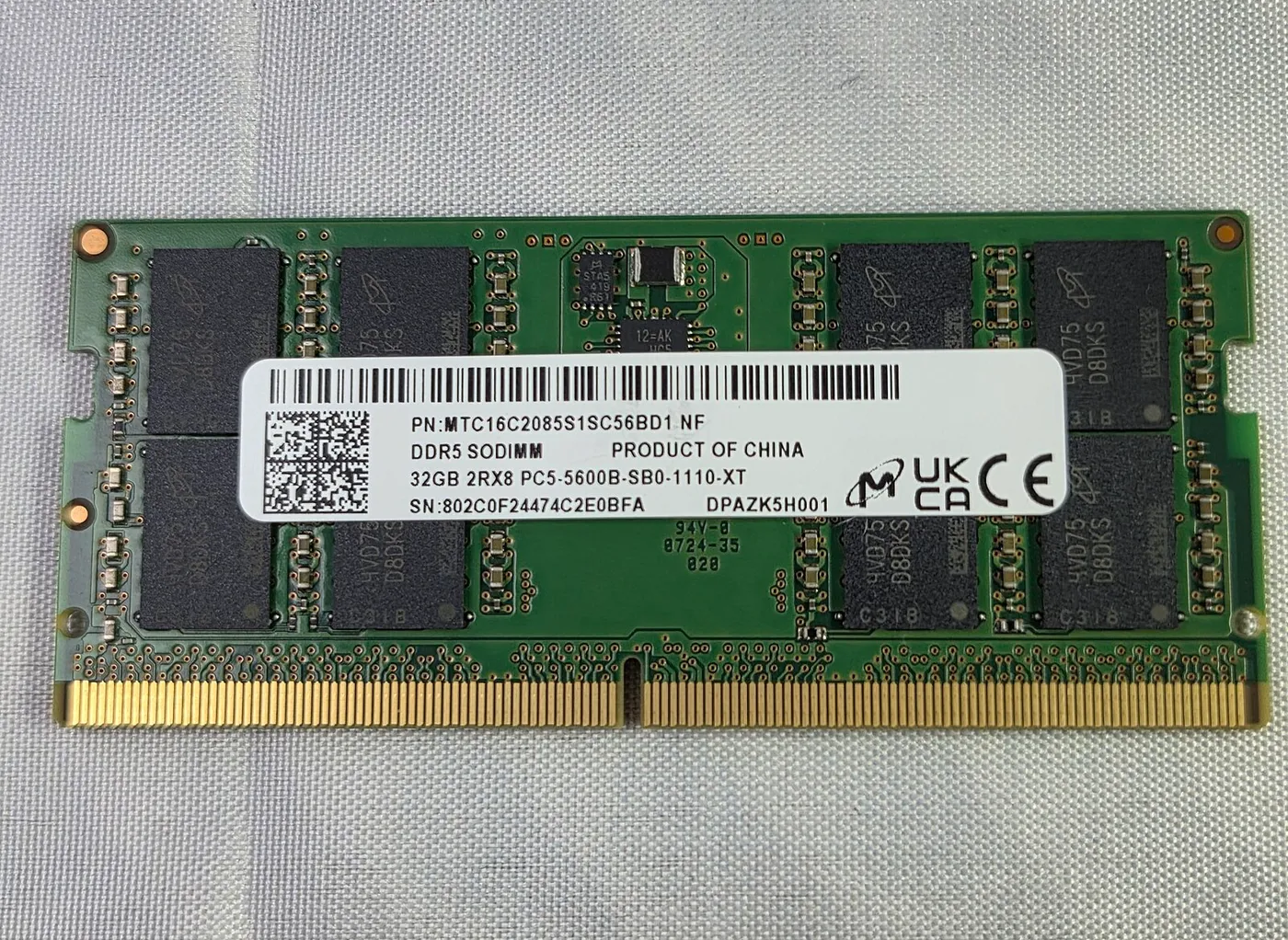 SO-DIMM: a 32 GB laptop modulePhoto: ITEagle Europe, Sebastiaan Broekhoven, CC BY-SA 4.0, Wikimedia Commons
What is dual channel?
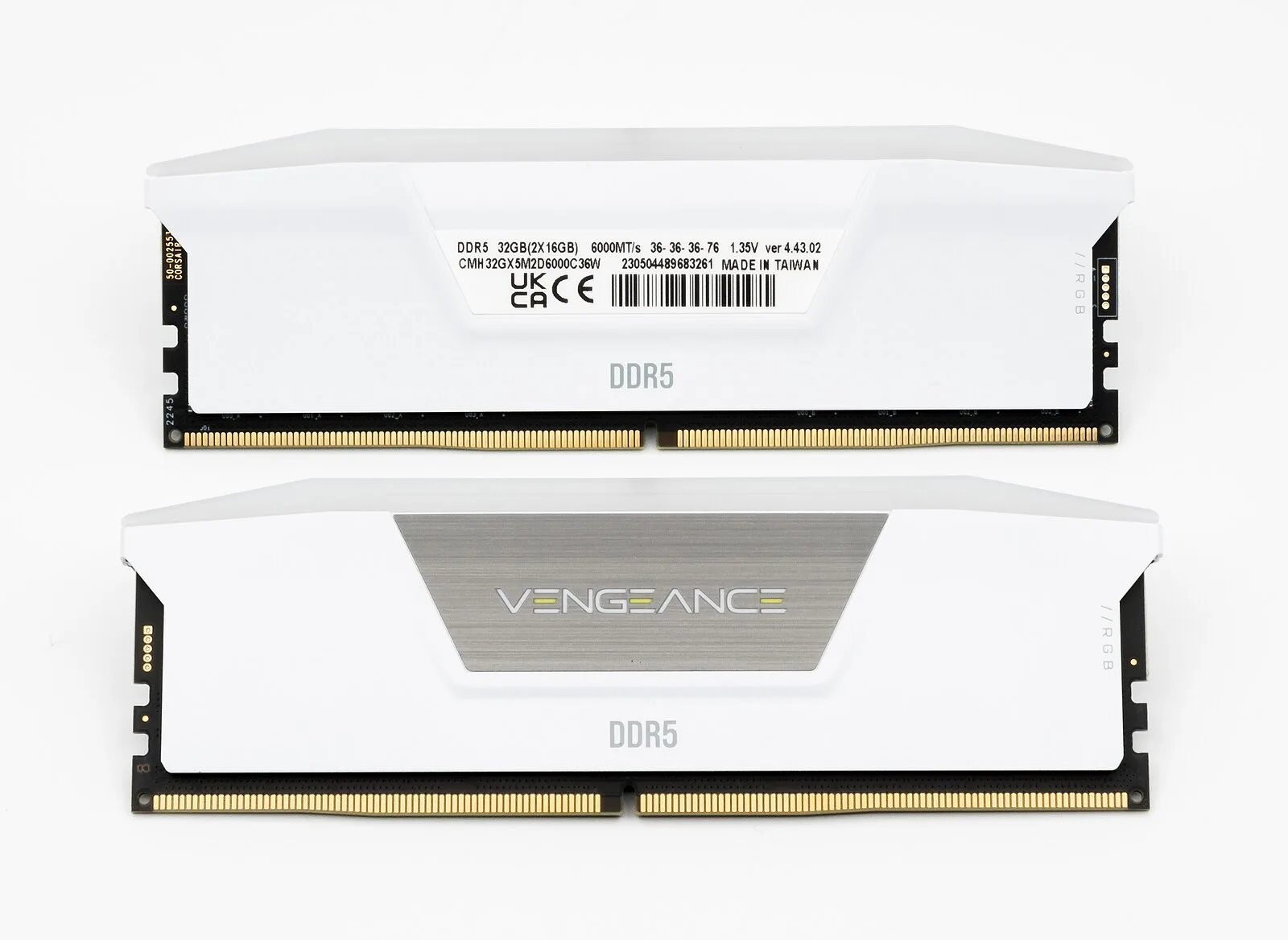
Most desktops and laptops have two memory channels, so two identical modules work in parallel and add up their bandwidth. That is why memory is sold in pairs like the kit above; Kingston warns that four modules do not make a “quad channel” and often run slower.
How to check how much RAM you have
Windows
- Right-click Start and choose Settings.
- Open System, then About.
- Installed RAM is under Device specifications.
Task Manager (Ctrl+Shift+Esc) shows on its Performance tab how much memory is in use.
macOS
- Open the Apple menu, then System Settings.
- Click General in the sidebar, then About.
- The Memory line shows the total.
Android
On a Pixel, tap Build number in Settings > About phone seven times, then open Settings > System > Developer options > Memory: it shows the total memory and how much apps use. On a Samsung Galaxy, memory use and RAM Plus are in Settings > Device care > Memory.
iPhone
Apple does not list RAM for the iPhone: the iPhone 18 Pro specifications give only storage, from 256 GB to 2 TB.
RAM prices in late 2026
Memory makers have moved production toward AI data centers, and ordinary RAM has kept getting more expensive since the end of 2025:
- 3 December 2025Micron leaves the consumer marketIt stops selling Crucial-branded products to shoppers at the end of February 2026, citing AI data center demand.
- 26 February 2026Gartner's forecastDRAM and SSD prices up 130% by the end of 2026, average PC prices up 17%.
- 12 October 2026Prices reach PC buyersGartner: DRAM costs rose fivefold year on year in the second quarter, and third-quarter PC shipments were 22.4% lower than a year earlier.
- 11 November 2026Still risingTrendForce expects PC DRAM contract prices to rise another 13–18% in the fourth quarter.
- 19 November 2026Valve on the Steam MachineMemory and storage costs "continue to increase at unprecedented levels", so Valve cannot yet say how many units it will make or at what price.
More on that: Valve on Steam Machine supply and price.
FAQ
Is 8 GB of RAM enough in 2026?
For Windows 11 and Office, yes: both ask for 4 GB. New games recommend 16 GB, and Copilot+ PCs need 16 GB too. In October 2026, 7.52% of Steam users had 8 GB.
Is 32 GB better than 16 GB for gaming?
Most new games recommend 16 GB. Borderlands 4 asks for 32 GB, and Kingston suggests 32 GB if you stream while you play.
Can I mix different RAM sticks?
It is better not to. Kingston does not recommend combining even two kits with the same part number, because they may be built from different components. Mixing modules within one channel also takes away the dual-channel advantage.