In this material
What does a motherboard do?
Inside a desktop PC, the parts exchange data through the motherboard. The processor reaches the memory, the graphics card and the SSD over copper traces in the board, and the power supply feeds the processor and the slots through the board’s connectors.
The board also holds a small flash chip with the BIOS, the program that checks the hardware at power-on and hands the PC over to Windows. On its own a board computes nothing: that work belongs to the processor and the graphics card installed on it.
Parts of a motherboard
Ten parts on a real board
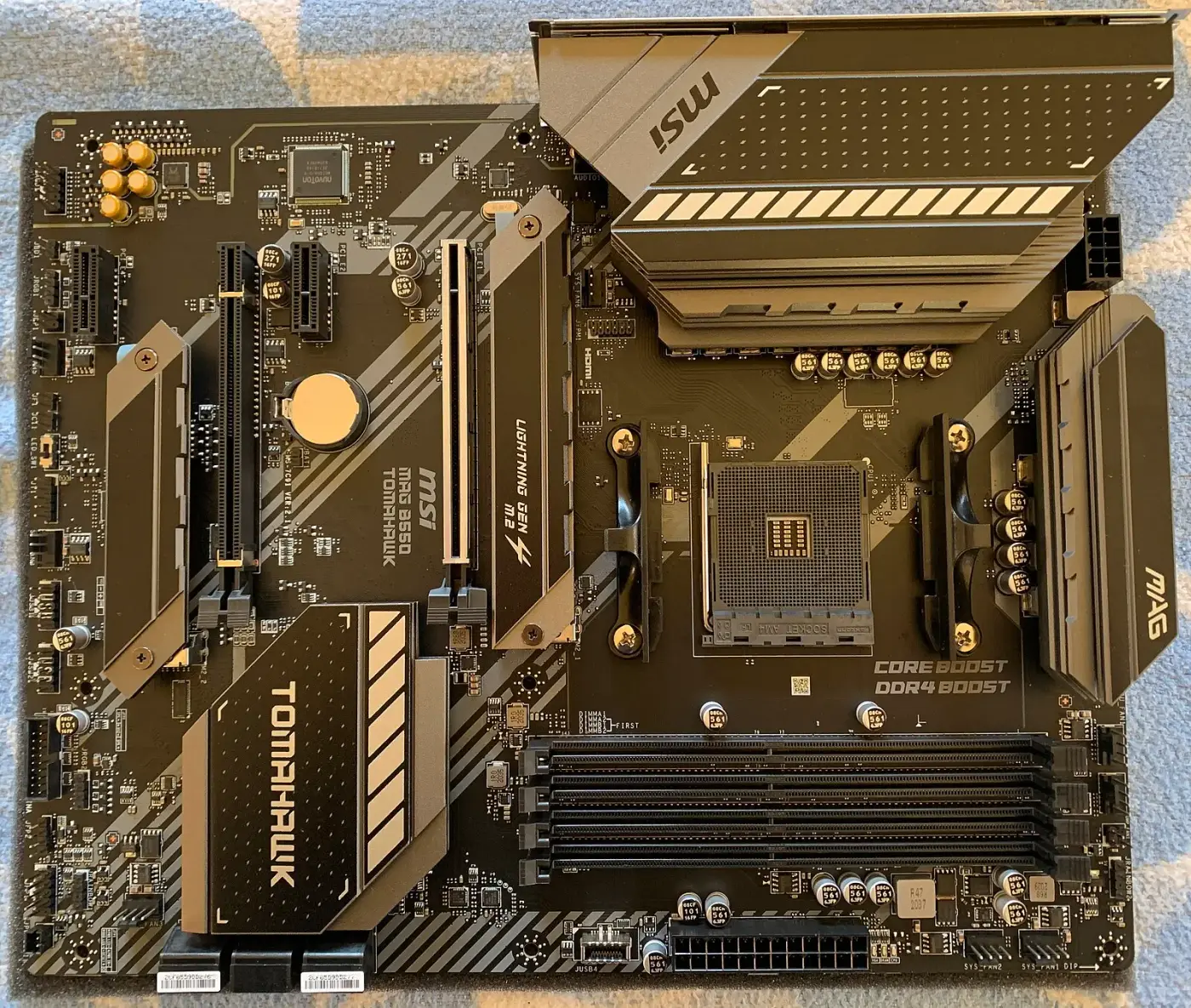
- CPU socket: holds the processor; its type decides which CPUs fit (AM4 on this board)
- RAM slots: four DIMM slots for memory sticks
- PCIe x16 slot: the top one takes the graphics card
- M.2 slot: under the heatsink, for an NVMe SSD
- Chipset: under its heatsink, adds USB, SATA and more PCIe lanes
- VRM: under the heatsinks around the socket, lowers the 12 V from the power supply to what the CPU needs
- Rear I/O: under the cover: USB, video outputs, network and audio at the back of the case
- 24-pin ATX power: the main cable from the power supply
- 8-pin CPU power: feeds the VRM
- CMOS battery: keeps the clock and the BIOS settings while the PC is unplugged
MSI B550 Tomahawk, a 2020 AM4 board for DDR4 memory, with the rear connectors at the top. AM5 and LGA 1851 boards have the same parts in the same places. Photo: Michael Wolf, CC BY-SA 3.0, Wikimedia Commons
When you compare boards, look first at the socket, which sets the processor family. Next come the memory slots: AM5 and LGA 1851 boards take only DDR5 RAM, so DDR4 sticks from an older PC will not work in them. The number of PCIe and M.2 slots and their generation decide how many SSDs and expansion cards you can add and how fast they run.
Motherboard sizes
The size, called the form factor, sets the board’s length and width and where its screw holes and slots are. ATX, Micro-ATX and Mini-ITX share one mounting grid and one cutout for the rear connectors, so a smaller board fits into a bigger case, but not the other way round.
| Form factor | Size | Typical slots | Cases |
|---|---|---|---|
| ATX | 305 x 244 mm (12 x 9.6 in) | up to 7 PCIe, 4 RAM, 4-5 M.2 | full and mid towers |
| Micro-ATX | 244 x 244 mm (9.6 x 9.6 in) | up to 4 PCIe, 2-4 RAM, 2-4 M.2 | towers and Micro-ATX mini towers |
| Mini-ITX | 170 x 170 mm (6.7 x 6.7 in) | 1 PCIe x16, 2 RAM, 2-3 M.2 | any case, small ones included |
| E-ATX | 305 x 277 mm and larger | as many as the maker fits | only cases that list E-ATX |
Sizes and slot counts are from MSI’s comparison of November 2026. E-ATX has no single standard: Corsair notes that its size and holes vary by brand, from 305 x 277 mm on the ASUS ROG Crosshair X870E Extreme to the 305 x 330 mm of the server format SSI-EEB.
Chipsets and sockets in November 2026
The socket is the physical fit for the processor. The chipset sets what the board adds around it: how many extra PCIe lanes and USB ports it has and whether the processor can be overclocked. Current desktop boards use two sockets.
| Chipset | Socket | Graphics slot | Extra x4 link from the CPU | CPU overclocking |
|---|---|---|---|---|
| X870E | AM5 | PCIe 5.0 | PCIe 5.0 | yes |
| X870 | AM5 | PCIe 5.0 | PCIe 5.0 | yes |
| B850 | AM5 | PCIe 4.0 | PCIe 5.0 | yes |
| B840 | AM5 | PCIe 4.0 | PCIe 4.0 | no |
| Z890 | LGA 1851 | PCIe 5.0 | PCIe 5.0 | yes |
| B860 | LGA 1851 | PCIe 5.0 | PCIe 5.0 | no, memory only |
AMD states that any AM5 board works with any Ryzen 7000, 8000 and 9000 processor, though older 600-series boards may need a BIOS update for the newer chips. USB4 is standard on X870E and X870 and optional on B850 and B840.
LGA 1851 takes the Intel Core Ultra 200S processors and the 200S Plus models that went on sale on 26 March 2026; Intel says the Plus chips work in all 800-series boards. The chipset of a Z890 board adds up to 24 PCIe 4.0 lanes, a B860 up to 14; H810 is the entry level. Intel’s next desktop processors, Nova Lake, are tied to a new socket, LGA 1954, according to Guru3D, so today’s LGA 1851 boards will not take them.
How to choose a motherboard
- Start from the processorThe socket has to match: AM5 for Ryzen 7000, 8000 and 9000, LGA 1851 for Core Ultra 200S. On the maker's CPU support list, check which BIOS version your processor needs.
- Pick the chipset by what you will useOverclocking a Ryzen needs X870E, X870 or B850; on Intel it needs Z890. A PCIe 5.0 graphics slot on AMD comes with X870 and X870E.
- Match the size to the caseThe case specification lists the board sizes it takes. In a small case, check the length of the graphics card and the height of the cooler too.
- Count the slotsOne M.2 slot per SSD you plan to have, four memory slots if you want to add RAM later, and the USB ports, network and Wi-Fi you need on the rear panel.
How to find out which motherboard you have
- Press Win + R, type msinfo32 and press EnterSystem Information opens on System Summary.
- Find the BaseBoard linesBaseBoard Manufacturer is the maker, BaseBoard Product is the model of the board, with its suffix (B850M-PLUS and B850M-PLUS WiFi are different boards).
On a laptop or a prebuilt PC, BaseBoard Product often shows a generic or OEM name. ASUS advises using the model number of the computer in that case: its support page lists the BIOS and drivers.
PowerShell gives the same answer. The Win32_BaseBoard class describes the motherboard, and its Product property holds the model:
Get-CimInstance -ClassName Win32_BaseBoard | Select-Object Manufacturer, Product, Version
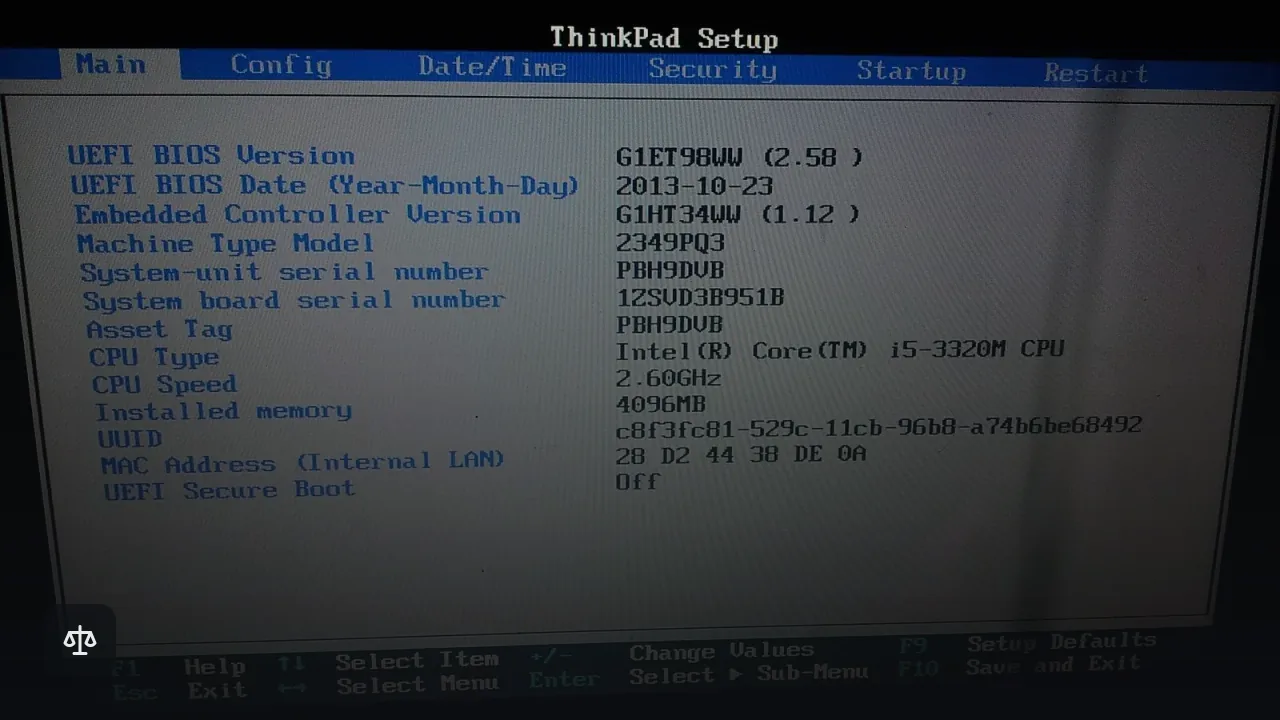
Without Windows, read the model off the board: it is usually printed in the open space between the CPU socket and the memory slots. The main screen of the BIOS shows it too. Device Manager does not list the board itself, only the hardware connected to it.
FAQ
Is the motherboard the same as the CPU?
No. The CPU is the processor, a chip that runs programs. The motherboard is the board it is installed in, which connects it to the memory, the drives and the power supply.
Can I upgrade the CPU without changing the motherboard?
Yes, if the new processor uses the same socket and the board lists it as supported, often after a BIOS update. A board for AM5 takes every Ryzen 7000, 8000 and 9000 chip. An LGA 1851 board takes the Core Ultra 200S and 200S Plus.
Does a motherboard affect gaming performance?
Very little. MSI writes that frame rates depend more on the processor, graphics card, memory, cooling and game settings, while the board decides what fits and what you can add later.
Does a laptop have a motherboard?
Yes, shaped to fit its case. Laptops typically use processors soldered to the board instead of a socket, so the processor cannot be swapped.
Why is it called a motherboard?
The name points to its role as the main board that everything else attaches to. Other names are mainboard, system board, logic board and the informal mobo.