In this material
- Stands for
- graphics processing unit
- Most common on Steam
- GeForce RTX 3060
- Most common VRAM on Steam
- 8 GB
- Survey month
- October 2026
What does a GPU do?
A 1920 x 1080 screen has about two million pixels, and a game redraws all of them dozens of times a second. Each pixel needs the same kind of math: where the light falls, which texture covers the surface, what is in shadow. A GPU has thousands of small cores that apply one instruction to many pieces of data at once: the GeForce RTX 5070 has 6,144 CUDA cores, the RTX 5090 has 21,760.
The processor (CPU) is built the other way round, with a few strong cores that switch quickly between very different jobs. In October 2026 most CPUs in the Steam survey had 8 cores (28.68%) or 6 (27.29%). In a game the CPU runs the rules, physics and characters and tells the GPU what to draw; the GPU turns that into a finished frame and sends it to the monitor.
GPUs were first made for 3D graphics, Intel explains; once they became programmable, other parallel work moved onto them, from video editing to machine learning.
GPU vs graphics card vs CPU
“GPU” and “graphics card” are often used as synonyms, but Intel draws the line the way you would between a CPU and a motherboard: the GPU is the chip, and the graphics card is the add-in board that holds it along with everything the chip needs to work and connect to the PC.
| GPU | Graphics card | CPU | |
|---|---|---|---|
| What it is | a chip | a board with the GPU, VRAM, power circuits, cooling and video outputs | the main processor of the computer |
| Cores | thousands of simple ones (RTX 5070: 6,144) | those of its GPU | usually 6 or 8 in Steam PCs |
| Where it sits | on a graphics card or inside the processor | in a PCIe slot on the motherboard | in a socket on the motherboard |
| Strong at | one operation over huge amounts of data | whatever its GPU is strong at | many different tasks in turn |
Integrated vs discrete graphics
An integrated GPU is built into the processor. A discrete GPU is a separate chip: on a graphics card in a PCIe slot or, in a laptop, on the main board. Most GPUs on the market are integrated, according to Intel. The Steam list for October 2026 has both kinds: Intel UHD Graphics and Apple M2 are integrated, while the third most common entry, the GeForce RTX 4060 Laptop GPU, is a discrete chip in gaming laptops.
| Integrated | Discrete | |
|---|---|---|
| Where it is | inside the processor | on a graphics card, or a separate chip in a laptop |
| Memory | uses the computer’s RAM | its own VRAM: 8 to 32 GB on the RTX 50 series |
| Power and heat | low, so longer battery life | high, needs its own cooling |
| Price | comes with the processor | a separate purchase or a dearer laptop |
| Enough for | office work, video, undemanding games | new games at high settings, 3D, AI, editing |
A laptop can have both. Task Manager then lists them as GPU 0 and GPU 1, numbered by where they sit in the system.
GPU makers and lines in November 2026
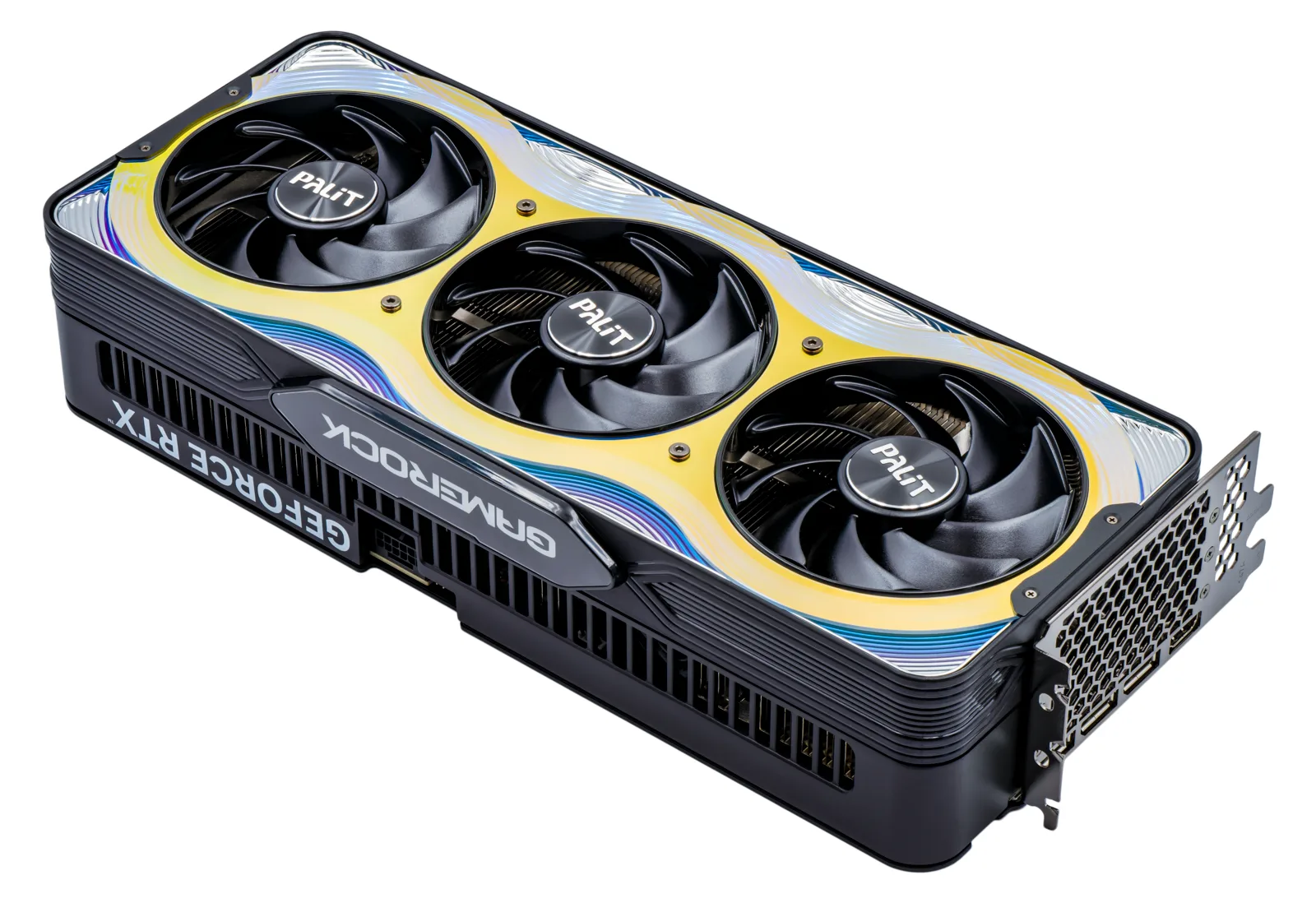
Nearly every graphics card in the Steam survey carries a GPU from NVIDIA, AMD or Intel; brands such as Palit, whose card is pictured above, build boards and coolers around these chips.
| Maker | Line | Desktop cards | Video memory |
|---|---|---|---|
| NVIDIA | GeForce RTX 50 (Blackwell) | RTX 5090, 5080, 5070 Ti, 5070, 5060 Ti, 5060, 5050 | 8 to 32 GB of GDDR7; GDDR6 on the RTX 5050 |
| AMD | Radeon RX 9000 (RDNA 4) | RX 9070 XT, 9070, 9060 XT and simpler RX 9060 and 9050 | GDDR6: 16 GB on the RX 9070 XT and 9070, 8 or 16 GB on the 9060 XT |
| Intel | Arc B-series (Battlemage) | Arc B580, B570 | 12 and 10 GB of GDDR6 |
RTX 50 cards support DLSS 4.5 Multi Frame Generation, which adds up to five generated frames per rendered one, and DLSS 5, a neural rendering model NVIDIA announced in March 2026. AMD’s equivalent is FSR “Redstone”, Intel’s is XeSS. On a Mac with Apple silicon the GPU is part of the M-series chip.
What is VRAM?
VRAM, or video memory, is the graphics card’s own fast memory. It holds what the GPU needs at that moment: textures, models and the frames being drawn. The RTX 50 series uses GDDR7 (the RTX 5050 has GDDR6), and Radeon RX 9000 and Arc B-series cards use GDDR6. On Steam in October 2026, 8 GB was the most common amount (26.92% of users), just ahead of 16 GB (26.35%). If a game needs more than the card has, Windows lets the GPU borrow ordinary RAM as “shared memory”, up to half of it at any moment, Microsoft explains. An integrated GPU has no separate video memory: some reserve a slice of main memory in the firmware (BIOS), others take it as needed.
Beyond games: AI and video
The same parallel design suits machine learning, and consumer cards now carry dedicated AI hardware: fifth-generation Tensor Cores in the RTX 50 series, 128 AI accelerators in the Radeon RX 9070 XT, up to 233 TOPS (trillion operations per second) in Intel’s Arc B-series.
Each also has a media engine for video. The RTX 50 series has NVIDIA’s ninth-generation encoder (NVENC), which DaVinci Resolve and Adobe Premiere use for exports, and both the RX 9070 XT and Intel Arc cards encode and decode AV1. Adobe Premiere asks for a GPU with at least 4 GB of memory and recommends 8 GB.
How to find out which GPU you have
Windows
- Press Ctrl+Shift+Esc to open Task Manager.
- Open the Performance tab and select GPU 0 (and GPU 1, if there is one).
- The name of the GPU is in the top right corner. Under the graphs you see its dedicated memory (VRAM) and the shared memory it can borrow from RAM.
Another way: type dxdiag in the search box on the taskbar, open it and look at the Display tab.
macOS
- Open the Apple menu and choose About This Mac.
- On a Mac with Apple silicon the Chip line names it (for example, Apple M2): the GPU is part of that chip. On a Mac with an Intel processor the GPU is on the Graphics line.
- For more detail, open System Settings > General > About and click System Report.
Linux
Open a terminal and run lspci -d ::03xx. It lists the display controllers, one line per GPU.
What GPU do you need for gaming?
Steam’s own Hardware & Software Survey shows what players use. Its top six in October 2026 were all NVIDIA cards:
The resolution counts too: 50.23% of Steam users play at 1920 x 1080 and 21.82% at 2560 x 1440. Big recent releases ask for this much:
| Game | Minimum GPU | Recommended GPU |
|---|---|---|
| Resident Evil Requiem (February 2026) | GeForce GTX 1660 6 GB or Radeon RX 5500 XT 8 GB | GeForce RTX 2060 Super 8 GB or Radeon RX 6600 8 GB |
| Battlefield 6 (October 2025) | GeForce RTX 2060, Radeon RX 5600 XT 6 GB or Arc A380 | GeForce RTX 3060 Ti, Radeon RX 6700 XT or Arc B580 |
| Borderlands 4 (September 2025) | GeForce RTX 2070, Radeon RX 5700 XT or Arc A580 | GeForce RTX 3080, Radeon RX 6800 XT or Arc B580 |
Resident Evil Requiem and Monster Hunter Wilds name 8 GB cards in their recommended requirements, the most common amount on Steam. For a competitive shooter the priority is frame rate rather than picture quality: see the CS2 settings pros use.
FAQ
Does every computer have a GPU?
Yes. Windows 11 requires graphics compatible with DirectX 12 with a WDDM 2.0 driver, and in most computers that is the GPU built into the processor.
Is there an RTX 50 Super?
No. On 28 November 2026 NVIDIA’s RTX 50 page lists the RTX 5090 down to the RTX 5050 and no Super models, and none has been announced.
Does a better GPU lower ping?
No. Ping is the time data takes to reach the game server and come back, and it depends on the network. The GPU sets how many frames you get. How delay works in games is explained in what latency is.